AP Registration
AP Exam Registration Guide
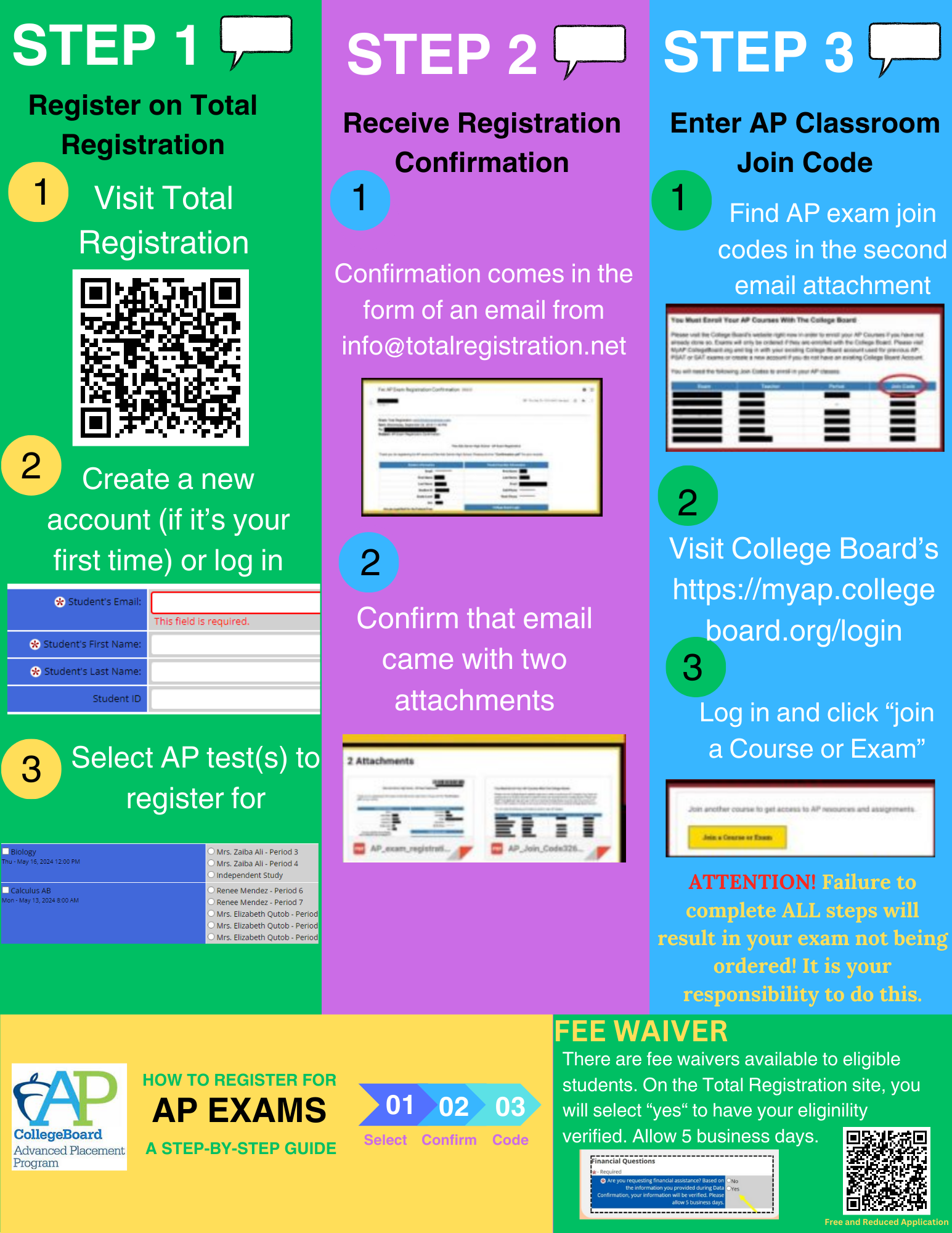
Follow the steps below to complete your AP exam sign-up. For a visual walkthrough, refer to the image on the right for additional guidance.
- Enroll in Your AP Course
-
- Register for AP classes through MHHS during course selection.
- Talk to your counselor or AP teacher to confirm your enrollment.
- Join Your Class Section Online
-
- Go to My AP and sign in with your College Board account.
- Use the join code provided by your teacher to link your course.
- Confirm Your Exam Registration
-
- After joining your class section, click “Register” (if required by MHHS).
- If you don’t see the button, your school may register you automatically.
- Pay Your Exam Fees
-
- Exam fees are collected by the MHHS AP Coordinator — not through the College Board website.
- Review Your Exam Details
-
- Check your My AP dashboard for exam dates and times.
- Your AP Coordinator will share testing locations and final instructions.
For questions about exam content, format, or preparation, contact your AP teacher directly — they’re your best resource for course-specific guidance. See the Summer Work tab for contact information.